For the home mechanic
AI-assisted car diagnostics.
Plug an OBD-II adapter into your car and read the trouble codes. DeepDiag explains what they mean in plain language, how sure the AI is, and whether it's a job you can do yourself.
DeepDiag is a diagnostic aid, not a safety inspection. For brakes, steering, airbags, fuel leaks, high-voltage systems, overheating or a flashing check engine light, stop and see a professional.
Coming soon
What it does
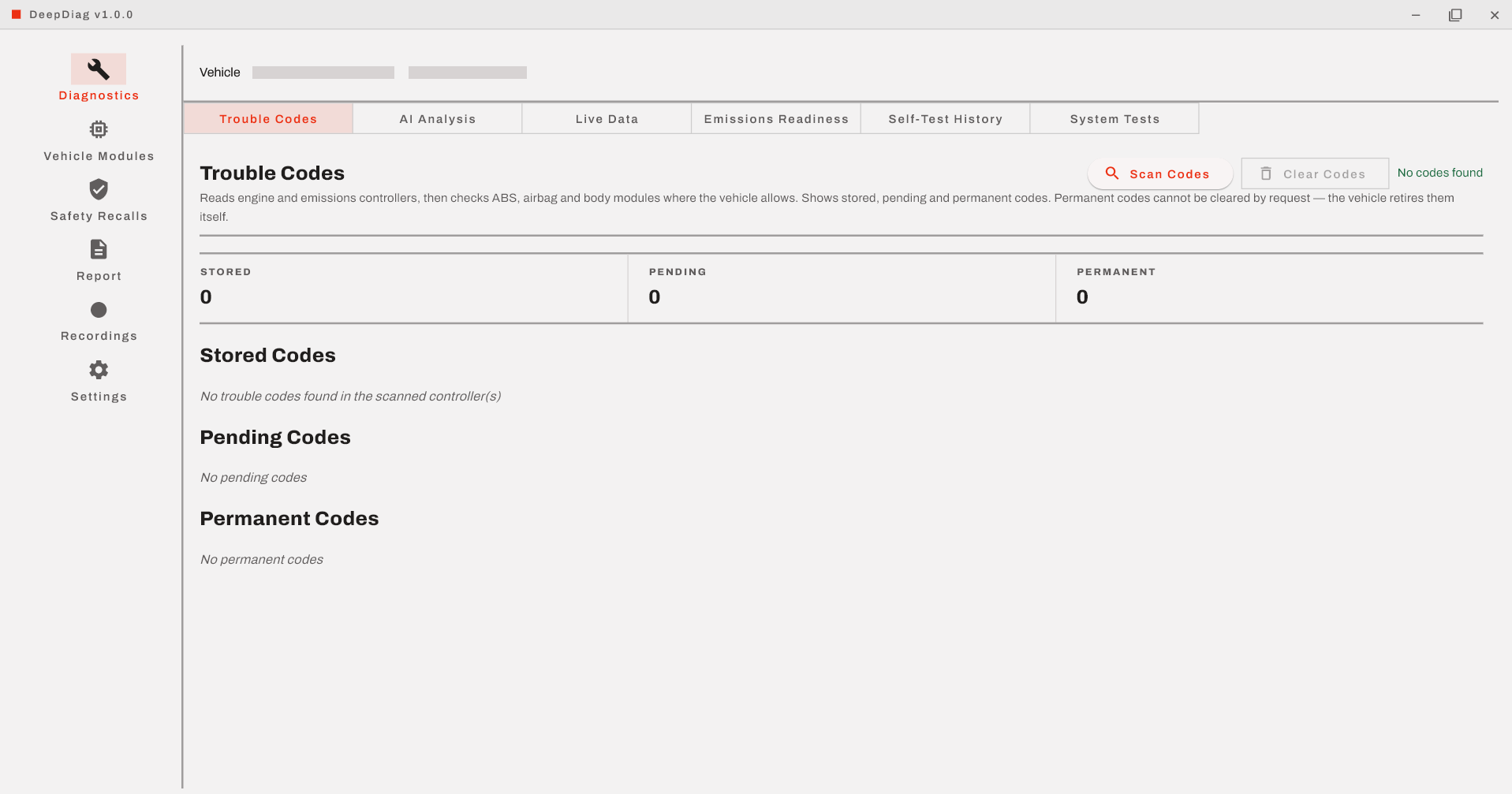
- Reads your trouble codes: from the engine and emissions controllers, and from ABS, airbag and body modules where the vehicle allows it.
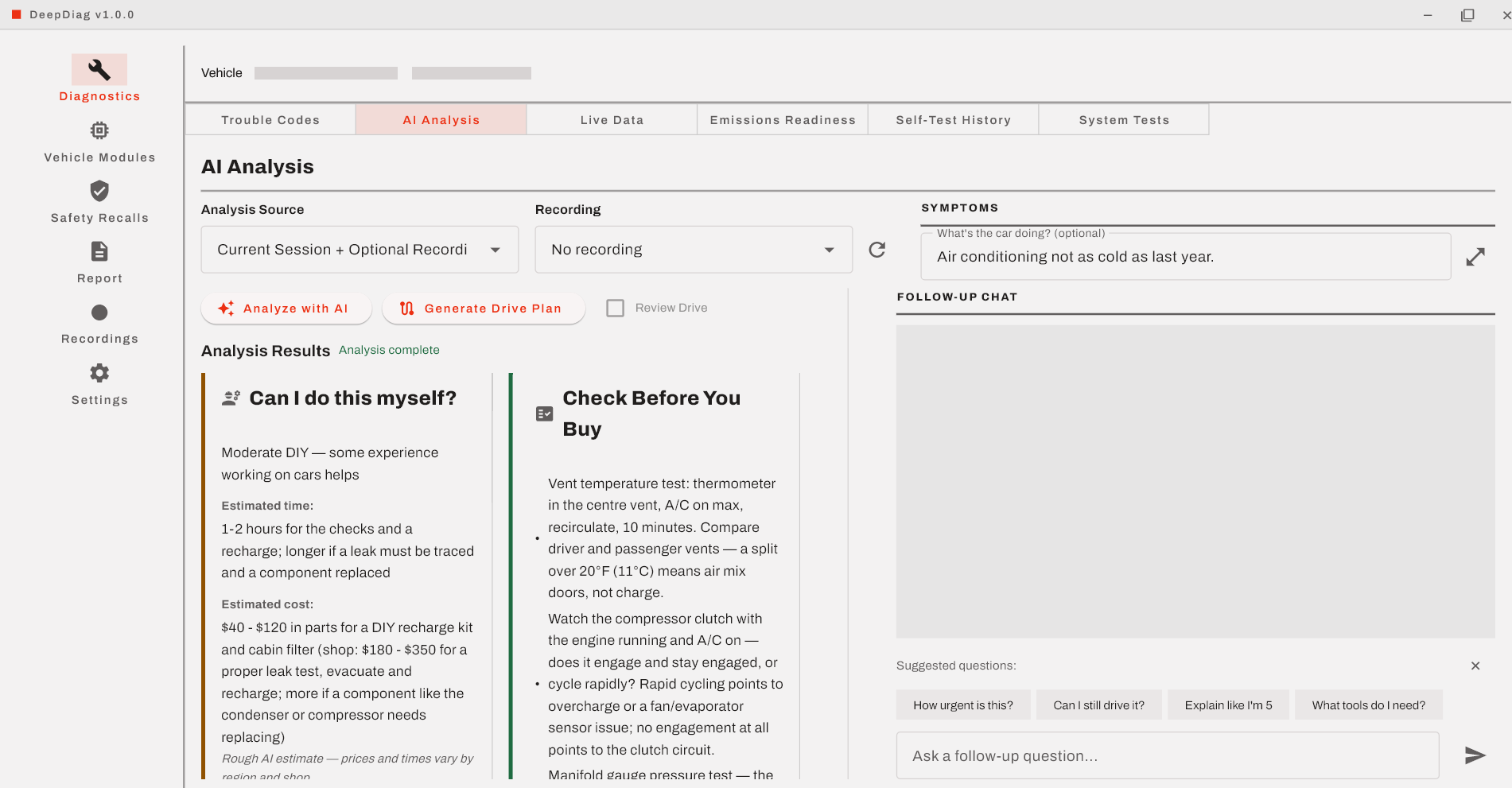
- Explains them in plain language: what the data shows, what the AI suspects, and how confident it is.
- Says whether you can fix it yourself: a rough time and cost estimate, and when to stop and see a professional.
- Helps you confirm before you buy parts: suggested checks to pin down the cause first.
- Answers follow-up questions about the diagnosis.
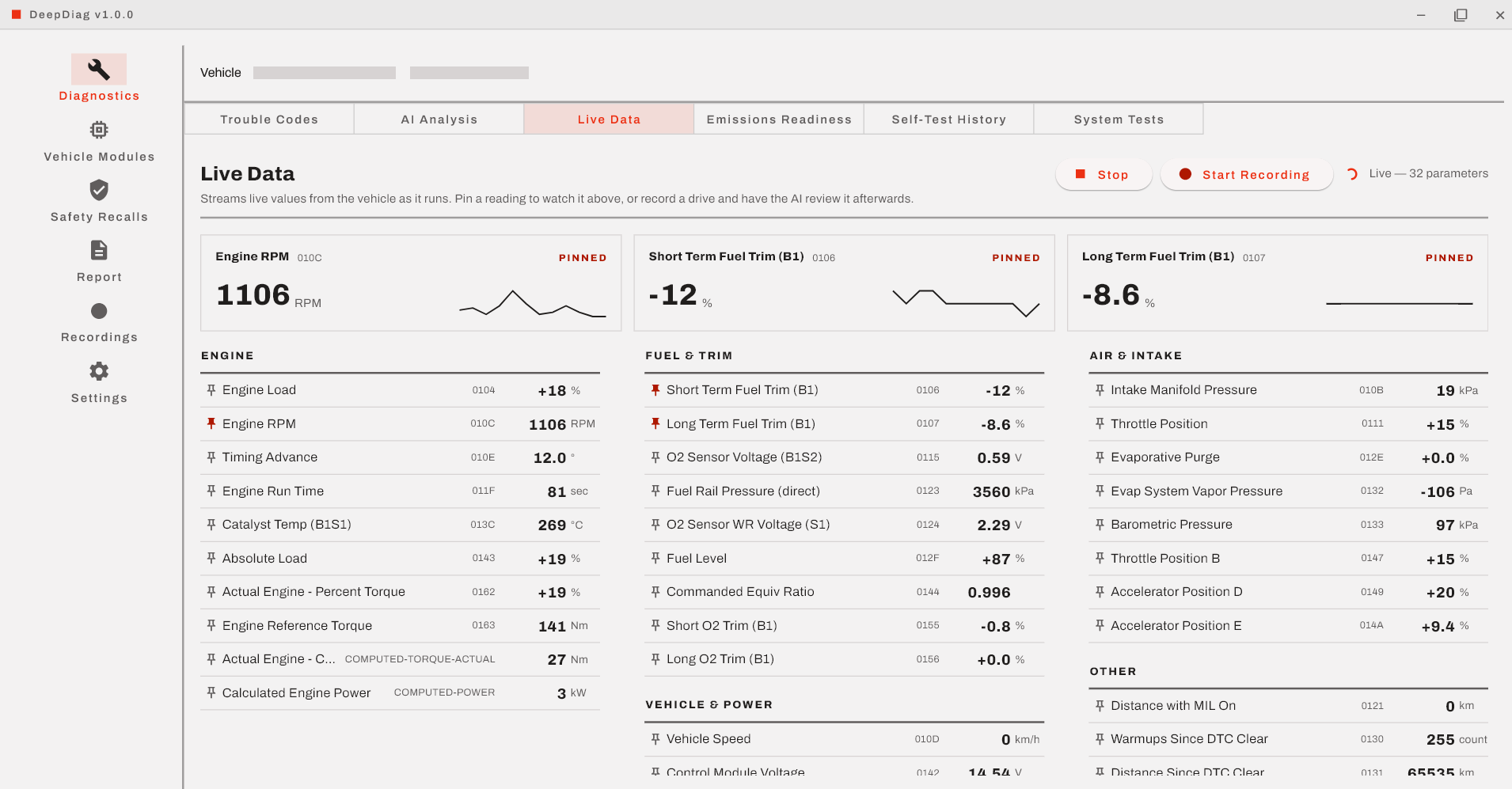
- Shows live sensor data: and records a drive for the AI to review, including a guided test drive.
- Checks emissions readiness: so you know whether the car is ready for a smog test.
- Looks up open safety recalls for your vehicle.
- Exports a report you can share with a partner or a shop.
Screenshots
Click any screenshot to open it full size.
What you need
- A Windows, macOS or Linux computer.
- An ELM327-compatible OBD-II adapter (USB, or Bluetooth Classic that pairs as a serial port).
- A car with an OBD-II port: most cars and light trucks sold in the US from 1996 on.
- An internet connection on your computer for AI analysis.
- A DeepDiag Premium subscription, which covers every car you work on.
Know the limits
DeepDiag gives an AI-assisted reading of the data your car reports. It isn't a professional inspection, a safety check or a guarantee, and the AI can be wrong. Confirm the cause before you buy parts.
Stop and see a professional (and don't keep driving) for anything involving:
- the brakes or steering
- airbag or other occupant-safety warnings
- a fuel leak or a smell of fuel
- a hybrid or electric vehicle's high-voltage system (orange cables)
- engine overheating or a low oil pressure warning
- a flashing check engine light
Questions
What do I need to run DeepDiag?
A Windows, macOS or Linux computer, an ELM327-compatible OBD-II adapter, a car with an OBD-II port, and an active Premium subscription. AI analysis also needs an internet connection.
Which cars and adapters work?
Most cars and light trucks sold in the US from 1996 on, plus OBD-II/EOBD vehicles elsewhere that expose the standard services. USB and Bluetooth Classic ELM327-compatible adapters are auto-detected; adapters that use only Bluetooth Low Energy do not work.
Do I need internet in the garage?
The AI analysis runs in the cloud, so your computer needs an internet connection for that step. The scan, live data, recordings and exported reports are handled by the app on your computer.
How many AI requests do I get?
Premium includes 100 AI requests a month. Analyses, follow-up questions and drive plans count toward that allowance, and it resets monthly.
What does MEDIUM confidence mean?
It means the AI has a most likely cause, but it is not proven: confirm it before buying parts. High confidence means the data clearly points to the cause. Low confidence means one possibility among several, and more testing is needed first.
Is my VIN sent to the AI?
The VIN is masked by default in the prompt. The AI can still receive the vehicle's details (make, model, year, engine, and mileage where the car reports it), trouble codes and freeze frames, live data or a recording summary, readiness results, recalls, and the problem description you type.
Can I use one subscription on more than one car?
Yes. One subscription covers any compatible car you own or have permission to work on.
Can I cancel, and what happens to my reports?
You can cancel anytime once subscriptions open. Exported reports are files on your computer and remain yours; the app's features need an active subscription.